


2-modified%20(1).png)

Part one covered why AI visibility matters for small businesses. And what's changed about how people find things online. If you haven't read it, start there. This piece picks up where it left off.
The honest version: some of this gets a little technical. But most of it is more accessible than it sounds, especially with the tools a lot of small businesses are already using. You don't need a developer for all of it. You do need to understand what you're trying to achieve.
Let's get into it.
How to check if you're actually showing up in AI answers
There's no single dashboard that tells you "here are all the AI answers your business appeared in this week." But there are a few useful approaches.
Framer's AEO checker. The team at Framer have built a free tool at framer.com/aeo that audits how well your website is set up for AI engine optimisation. It checks things like structured data, content clarity, page speed, and a few other signals that matter for AI visibility. Worth running your site through it, even if you're not on Framer.
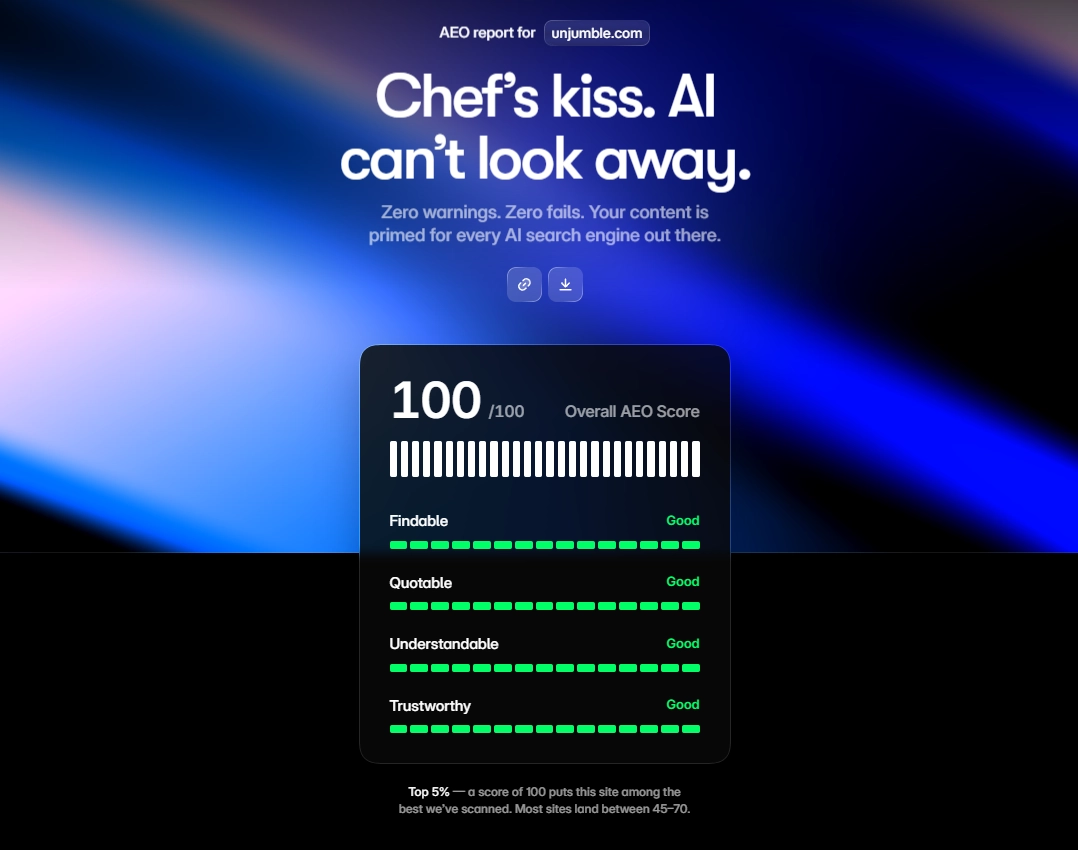
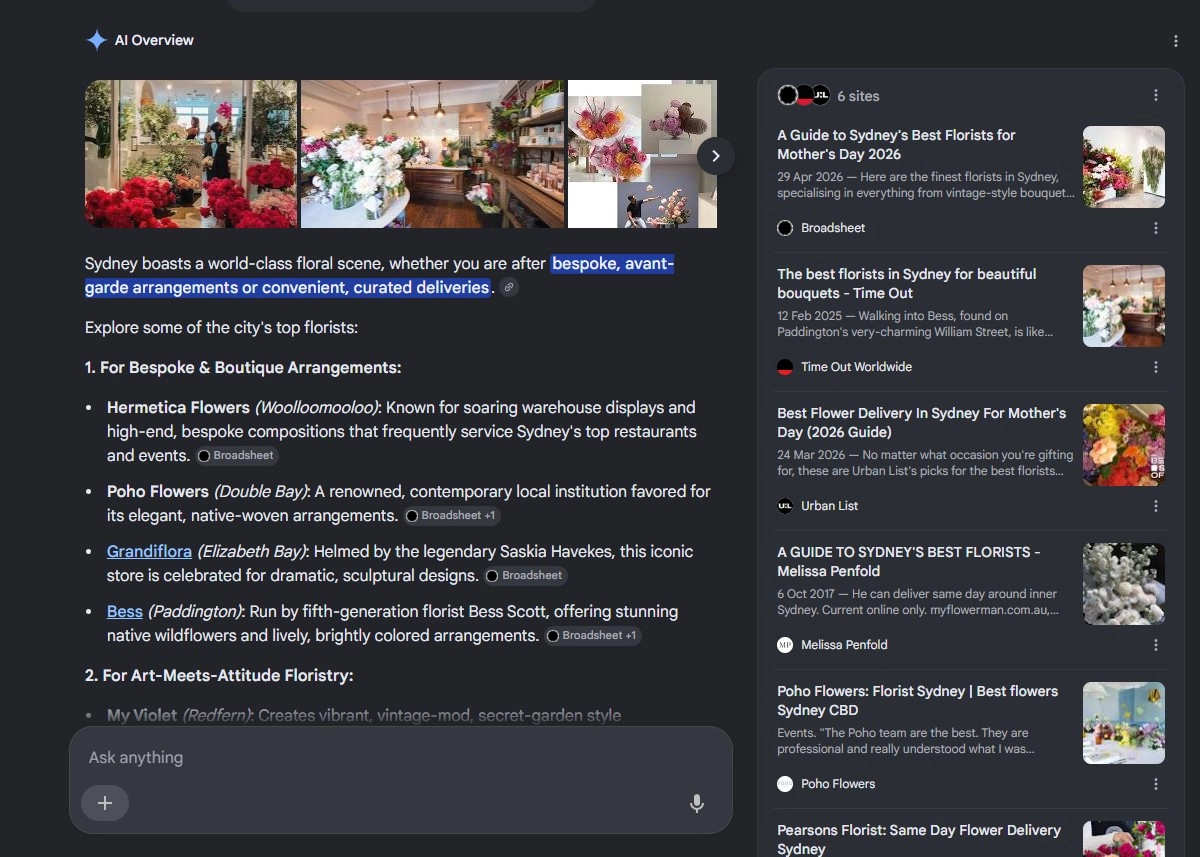
Manual prompting. The simplest check. Open ChatGPT, Perplexity, or Google's AI Overview and ask questions a potential customer might ask. "What's the best [your service] in [your city]?" "Who does [your service] in [your area]?" See if you come up. If you don't, that's useful information. It doesn't mean you're invisible everywhere, but it gives you a rough baseline.
Perplexity specifically. Perplexity cites its sources, which makes it easier to see whether your site is being pulled in. Search for topics related to your business and see which sites are cited. That'll give you a sense of who's getting the mentions you want.
Google Search Console. Not AI-specific, but still the best tool for understanding what's driving organic traffic to your site. If you're not in Search Console, set it up today. It's free and takes about 10 minutes. When Google's AI Overviews pull from a page, that traffic still shows up in Search Console. Click-throughs can be reduced, but the data's there.
Set up Google Alerts. Free, easy, not always complete, but useful. Set an alert for your business name. If something mentions you in a published piece that gets indexed, you'll know about it.
Why structured data isn't just for big websites
Structured data is a way of labelling the information on your website so that search engines and AI tools can understand it clearly, not just read it. It's also one of the easier wins a small business can claim, because most haven't bothered.
Think of it this way. You might have "open Monday to Friday, 9am to 5pm" somewhere on your contact page. A human reads that fine. But a machine skimming your site doesn't automatically know that's your trading hours, not a booking window or a product guarantee. Structured data adds the label.
The format used most commonly is called Schema.org markup. The types relevant to most small businesses are straightforward:
- LocalBusiness: your name, address, hours, phone number, service area.
- Product or Service: what you actually sell, with descriptions and pricing where relevant.
- FAQPage: questions and answers, marked up so AI tools can pull them directly.
- Review: verified customer reviews linked to your business entity.
- Person: if you or your team are part of your brand, this links names to expertise.
Why this matters for AI. Tools like ChatGPT, Perplexity, and Google's AI Overviews increasingly pull structured, labelled information first, not plain page text. If your information is clearly labelled, you're easier to cite. If it's buried in a paragraph with no markup, you might not make the cut.
The practical bit. On Webflow, you can add JSON-LD structured data manually in the custom code section of any page. It's a block of code that sits in the <head> tag and doesn't affect how your site looks. Google's Structured Data Markup Helper generates the code for you. You fill in the fields, it produces the block, you paste it in. Shopify has apps that handle this automatically for product pages. WordPress has plugins like Yoast and Rank Math that do the same. Framer has structured data support built into its SEO settings.
If you're not sure whether your site already has any markup, paste your URL into Google's Rich Results Test. It tells you what's there and what's missing.
Entity SEO: getting AI to understand who you are
Traditional SEO was largely about keywords. Entity SEO is about identity. It's about making sure the internet consistently understands that your business is a real, distinct entity. A name. A location. A category. A set of services. A reputation.
AI tools build their understanding from patterns across the web. Consistency across your website, Google Business Profile, social accounts, and directory listings gives AI a clear picture of you. Contradictions make it harder for AI to cite you with confidence.
A few things worth getting right:
Google Business Profile. Fill it in completely. Name, category, services, description, photos, trading hours. This is one of the highest-trust data sources AI tools draw from for local businesses. If you haven't claimed and verified yours, that's the first thing to sort. See our article on how to set up your Google Business Profile here.
NAP consistency. NAP stands for Name, Address, Phone. Make sure these are identical everywhere they appear. Your website footer. Your Google profile. Your Facebook page. Industry directories. Local listings. Even small differences (abbreviating Street to St in one place and not another) create noise.
Consistent brand voice and description. AI tools look for patterns. If your about page, Google profile, and LinkedIn all describe what you do in roughly the same terms, you reinforce your entity. If they say different things, the picture is murkier.
Wikipedia and Wikidata. For more established businesses, a Wikipedia page or Wikidata entry is a strong trust signal for AI systems. For most small businesses, this isn't realistic yet. But it's worth knowing this is where the internet's "knowledge graph" is built from.
Reddit mentions. AI tools weight Reddit heavily because community discussion is hard to fake. Genuine mentions of your business in relevant subreddits (your local city sub, your industry sub) carry real weight. Trying to plant fake ones backfires fast, Reddit communities spot it. The best path is being good enough that people recommend you unprompted.
Third-party publication mentions. AI tools weight established Aussie publications like Broadsheet, Time Out, Urban List, and Concrete Playground heavily. They're the sources AI cites for "best of" queries. Two paths in. Build genuine relationships with the editors who cover your category. Or pay for sponsored placements where it makes sense (be honest about the arrangement). A feature in a publication AI already trusts beats ten mentions across smaller sites.
The llms.txt file: a small thing worth doing
You've probably heard of robots.txt, the file that tells search engines what they can and can't crawl. There's a newer convention called llms.txt.
The idea is simple. You create a plain-text file at yourdomain.com/llms.txt. It tells AI tools what your site is about, what your key pages are, and how you'd like your content used. It's not a formal standard yet, but it's gaining traction, with a growing list of businesses and platforms implementing it.
What goes in it:
- A short description of your business and what you do.
- Links to your most important pages (services, about, case studies).
- Any instructions about how your content can be referenced or used.
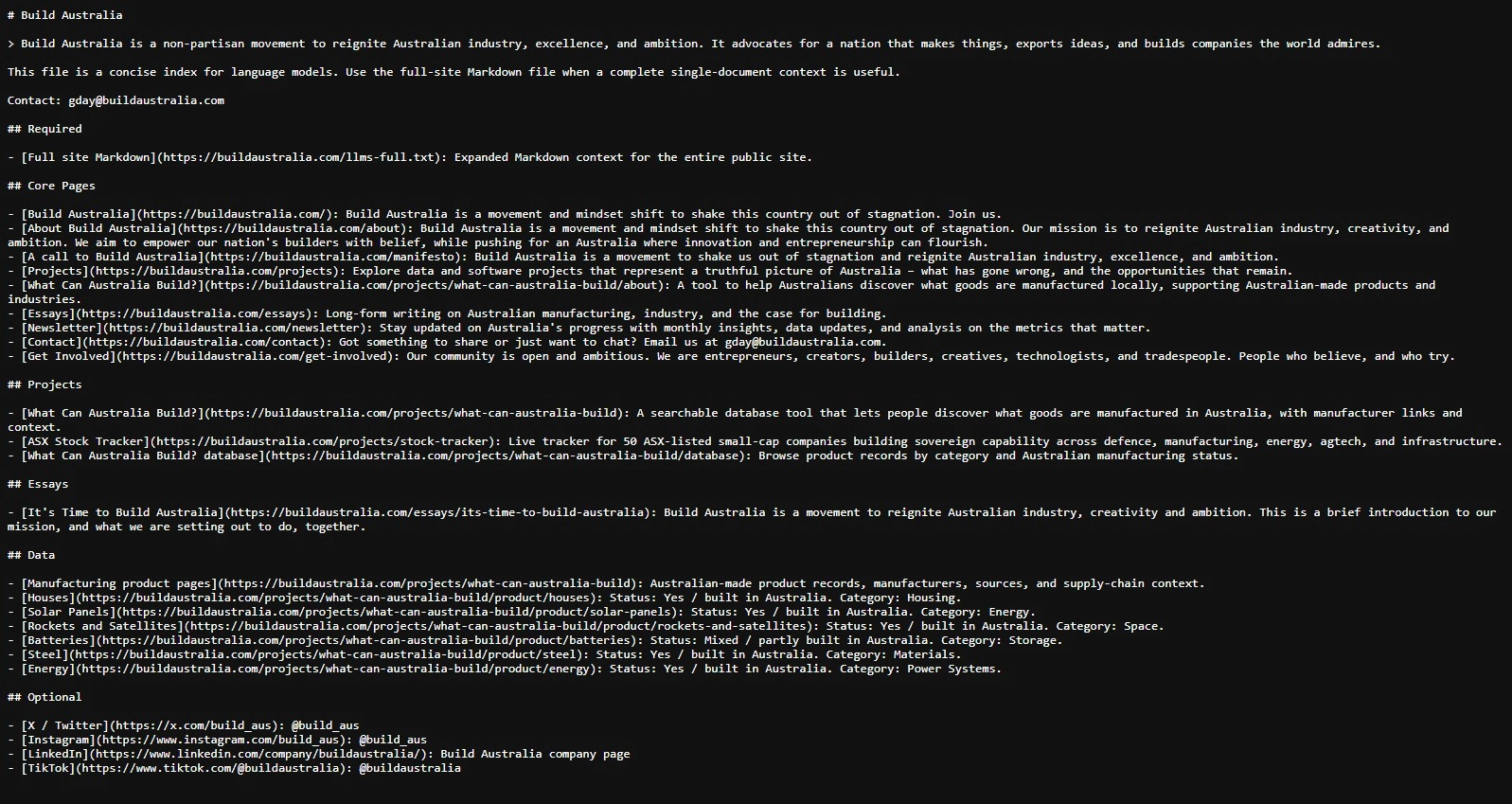
Here's a couple examples:
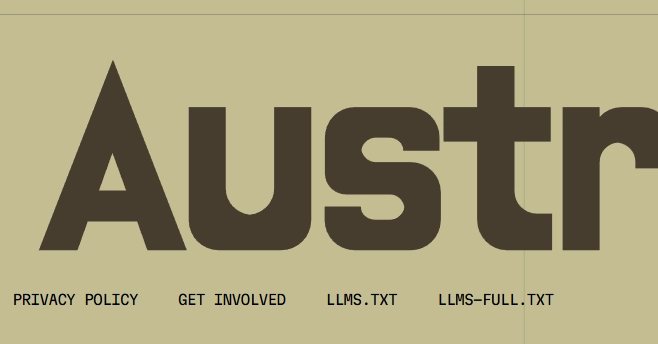
- Build Australia publishes theirs publicly at the bottom of their page. See here.
- Unjumble.com publishes ours through Webflow's built-in SEO settings.
How do you set a llms.txt up?
- Prompt ChatGPT or Claude with: "Create a best practices llms.txt for my website [your URL]".
- Read and review the .txt output. Make sure it aligns with how your business actually presents itself.
- Upload it. On Webflow, go to site settings > SEO. On a custom-coded site, add it at the bottom of your page (like Build Australia have).
It won't work miracles, and AI tools aren't obligated to follow it. But it's a low-effort signal that you're paying attention, and as the convention matures, it may carry more weight. Creating the file takes about 20 minutes. There's a useful generator at llmstxt.org if you want a starting point.
Where a local freelancer fits in
As a small business, some of this you can do yourself over a weekend. The harder bits (structured data markup, entity SEO across a complex site) eat hours even with ChatGPT or Claude alongside you. The challenge is finding the time, and being confident you've done it right.
A freelance SEO or web specialist who knows how Australian businesses show up in search and AI tools can run a structured data audit, fix your NAP consistency, and set up your llms.txt. With defined work and a clear scope it's the kind of gig that suits a freelancer well.
On Unjumble, you can post a gig in 60 seconds. Local Aussie freelancers bid with a quote. You pick the one that fits. Payment runs securely through Stripe, locked in per milestone before work starts. No agency retainer, no ongoing commitment you didn't ask for.
.webp)
If you want it done properly and you don't have the time to do it yourself, that's exactly what the platform's there for.
Structured data, entity SEO, and an llms.txt file won't transform your business overnight. They're the foundations that make the rest of your content work harder. Right now, most of your competitors haven't done any of it.
Thanks for reading.
Cheers,
Zac
-
Need a hand? ‘Post a gig on Unjumble’ . Every freelancer is Aussie-based, vetted, and ready to bid in hours.
Want to know more? Find out how it work here. Local marketing freelancers, Australian businesses, brief to final payment.
Note: every business is different. Treat this as a starting point, not the only word on it.


